hackathon
Additional material and support for hackathon events
U.S. Bank Innovation Developer Portal

Exploring the APIs
Step 1: From the main portal page, scroll down to the area with the API tiles.
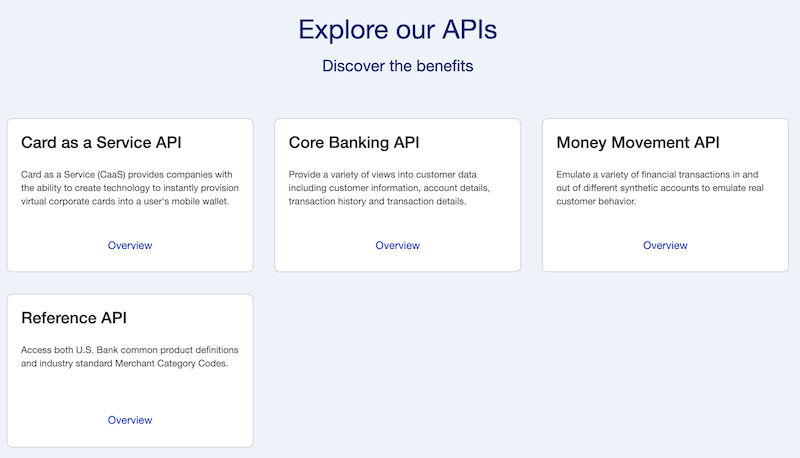
Step 2: You will see a brief description of each API. For more details, click the Overview link within the API tile. Below is a snippet from the page for the Core Banking API.
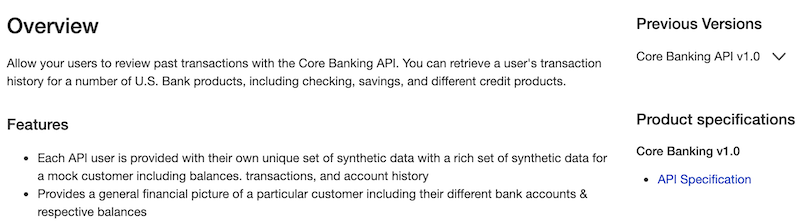
This will provide an overview of each API including its main features and possible use cases.
Step 3: The detailed API specification are available in the right hand column listed under Product Specifications. Select the API Specification.
Note: You must be logged in to see the API specification.
These specifications are written in well-formatted YAML documents. Below is a portion of the specifications for the Core Banking API, namely the GET /account/{accountID} method.
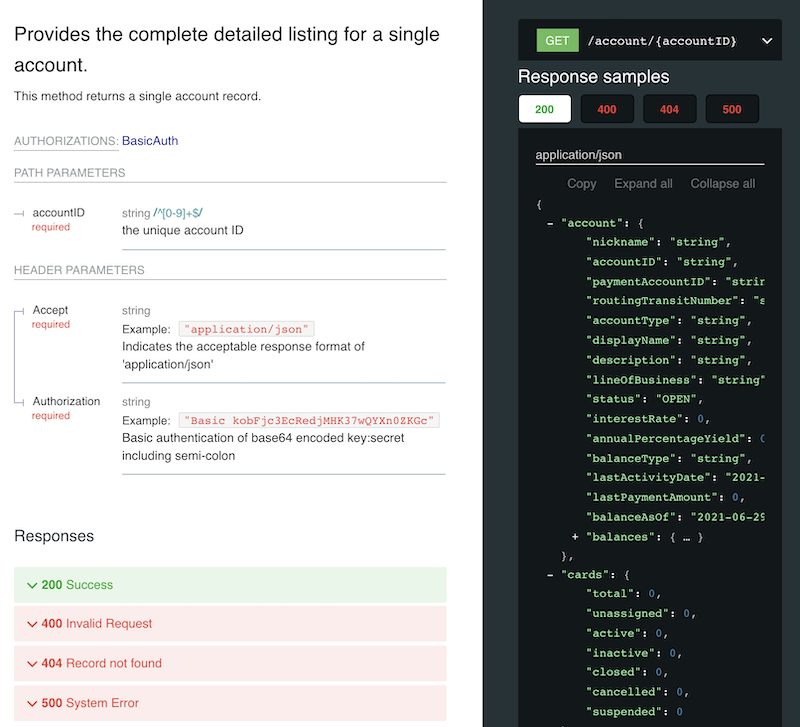
In the picture above, you can see an element of an API specification: GET /account/{accountid} (specifically, the structure of a successful response message (status = 200).
The API specification will show the request and response messages for all of the available methods for an API.
Step 4: You can also view the specific URL to the API by clicking the arrow in the API specification.
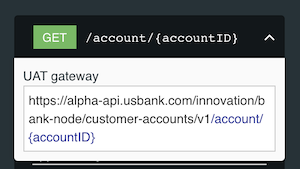
The base URL is alpha-api.usbank.com/innovation/bank-node/customer-accounts/v1 while the method is /account/{accountID}. The HTTP action is GET.